
Integrated OEM Repair Data*
One Workflow. One Tool. All Carside.
Integrated OEM Repair Data
One Workflow. One Tool. All Carside.
Everything You Need, Right at the Vehicle
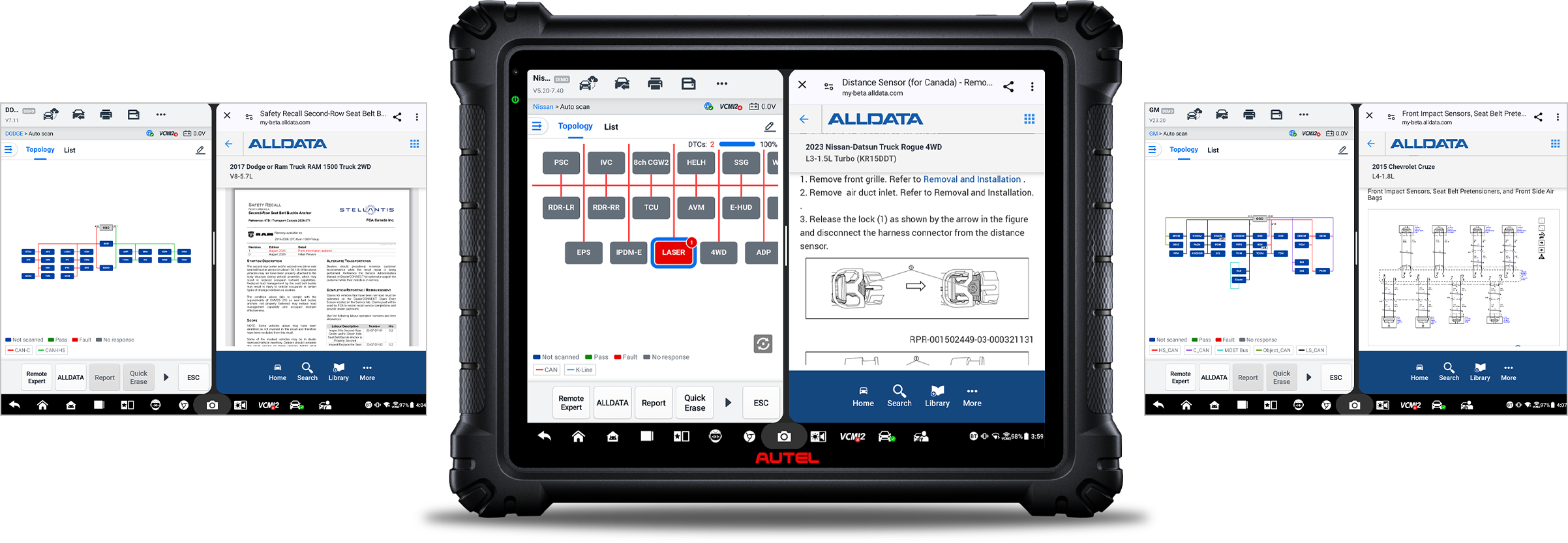
Starting in November, Autel and ALLDATA are bringing factory repair information directly into your diagnostic workflow through an industry-first integration on supported MaxiSYS tablets. With an active Autel software subscription and ALLDATA subscription, technicians can move seamlessly from fault codes to vehicle-specific OEM repair procedures, wiring diagrams, and diagnostic information—all on one screen, right at the vehicle—helping streamline troubleshooting and accelerate repairs.
Supported models include the MaxiSYS Ultra S2, MS919 S2 and MS909 S2, as well as the MaxiSYS Ultra, MS919, MS909, Ultra ADAS, and Ultra EV.
*Active Autel software subscription and separate ALLDATA subscription required for integration.
Limited Time Offer: Save 15% on ALLDATA
Use promo code AUTEL15 during checkout.
New customers only. Excludes National Accounts. Offer valid November 1–21, 2026.
OEM Repair Info. Right Where You Need It.
Connect your Autel tablet to ALLDATA & get OEM information in your workflow

Update Your
Autel Tablet
Ensure your Autel tablet is running the latest MaxiSYS software.
Sign In To
Get Started
Use your ALLDATA credentials when prompted from any access method.
Three ways to
Access ALLDATA
Via the Vehicle Data button after scanning, selecting DTC after fault scan, or tapping ALLDATA button in Quick Links.
Connect To
The vehicle
For Vehicle Data or DTC access, connect the VCI/VCMI and identify the vehicle.